Free wedding website builder

A wedding website
as unforgettable
as the day.

Twenty-one designs, eighty-four looks, endless you. RSVPs, schedule, and registry — wired into your Lazo planner. And the morning after the wedding, your site flips to “We’re married — and counting.” No stale wedding websites, ever.

See your names on every design

Type below — every preview updates as you do

&

Live on all twenty-one previews below

Sage

Botanical · garden · forest light

Noir

Black tie · editorial · midnight gold

Dune

Desert modern · dusk hills · golden hour

Fête

Classic · formal · the first dance

Tide

Coastal · sea light · barefoot by the water

Flora

Romantic · garden roses · candlelight

Atelier

Minimal · editorial · black and white

Verona

Vineyard · Italian villa · harvest light

Shore

Ocean · sand and sea light · barefoot vows

Summit

Mountains · alpine lakes · thin air

Ranch

Rustic · big sky · barn and bonfire

Starlit

Night sky · a hill full of stars

Frost

Winter · snow light · candlelight

Harvest

Fall · maple, pumpkin & plum · a bonfire after

Aquarelle

Watercolor · soft washes · blush, sky & lilac

Prism

Geometric · terrazzo · clean lines, big windows

Meadow

Boho · pampas, terracotta & golden hour

Gilded

Art deco · gold fans, onyx & emerald

Marigold

South Asian · marigold garlands · three days, one celebration

Papel

Latin fiesta · papel picado · mariachi until late

Peony

Blush · peony & champagne · petals in the air

Not just pretty

Every RSVP lands in your planner, the moment it happens

No spreadsheets, no copy-paste, no chasing. Your website and your planning live in the same place — because they are the same place.

Replies become your guest list

Meals, plus-ones, song requests — every RSVP files itself. Your headcount is always current, never a project.

One thread for everything

The same Lazo account holds your vendors, contracts, and payments. Your website is the front door to it all.

Your song, when they arrive

Pick your first-dance song on the Music page and it plays softly when guests open your site — a record that turns in the corner, easy to pause.

A link that feels like you

Your own URL, phone-perfect for the people who matter, with your date, your schedule, your story.

Free forever for couples · Change designs anytime · Live in minutes

Written with June

Tell June how you met. She writes the rest.

Most couples stall at the blank page. Answer five questions and June, the planner inside Lazo, drafts your whole site from what you told her. She invents nothing, and she leaves alone anything you’ve already written.
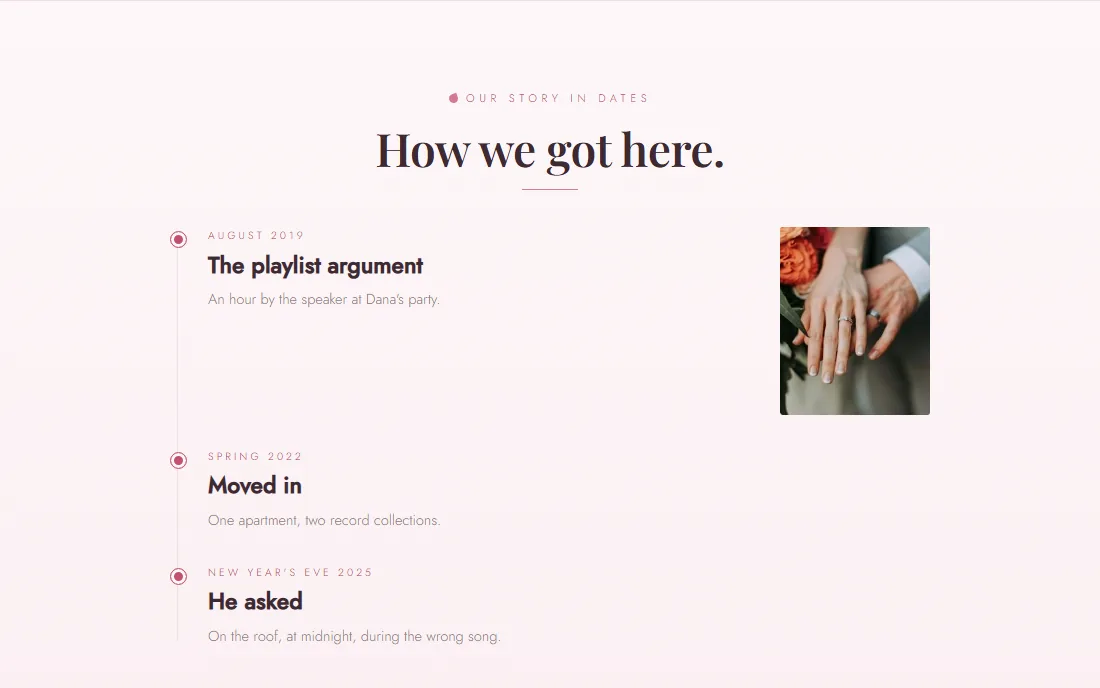
A wedding website timeline of the couple's story: the night they met, moving in, the proposalNew

Build it with June

Your story, your FAQ, your travel page, in about twenty seconds.

June writes how you met and the milestones since, suggests a hashtag, and drafts the dress code. She checks what the weather has done that week for the last three years, writes the driving notes and finds hotels near your venue. Then she picks the design that suits your photos. You read it over and publish.
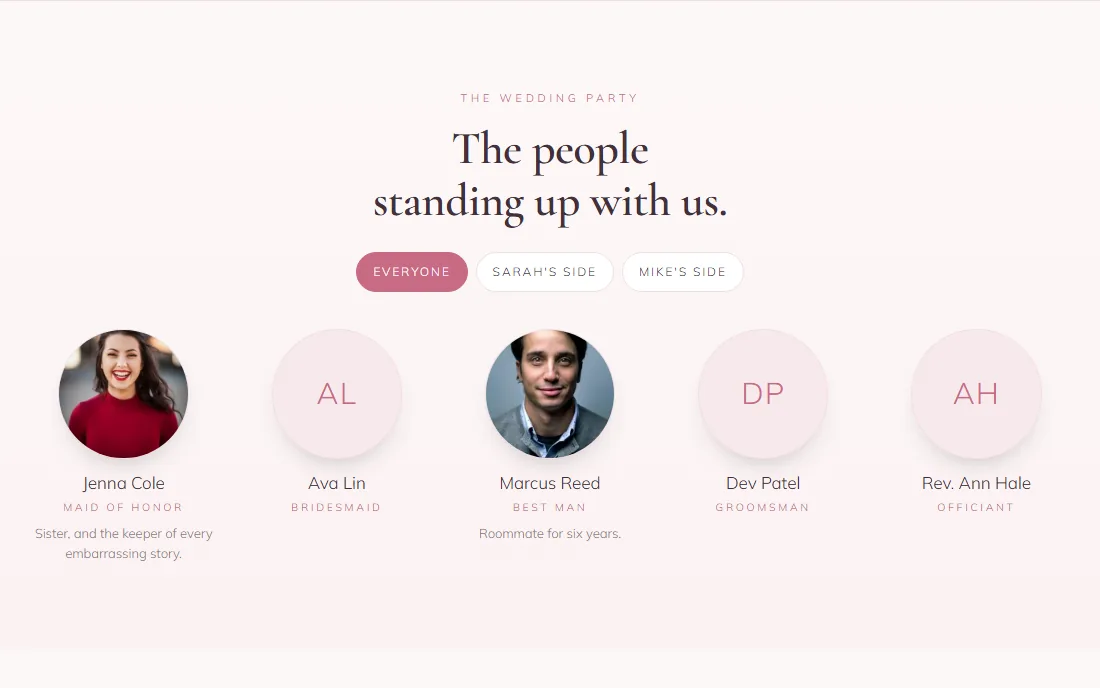
The wedding party on a wedding website, with photos, roles and a tab for each side

The wedding party

Everyone standing up with you.

Names, roles, photos and a line about each. Put people on a side and guests get a tab for each, so the groom’s aunt can finally match a face to “the maid of honor.”
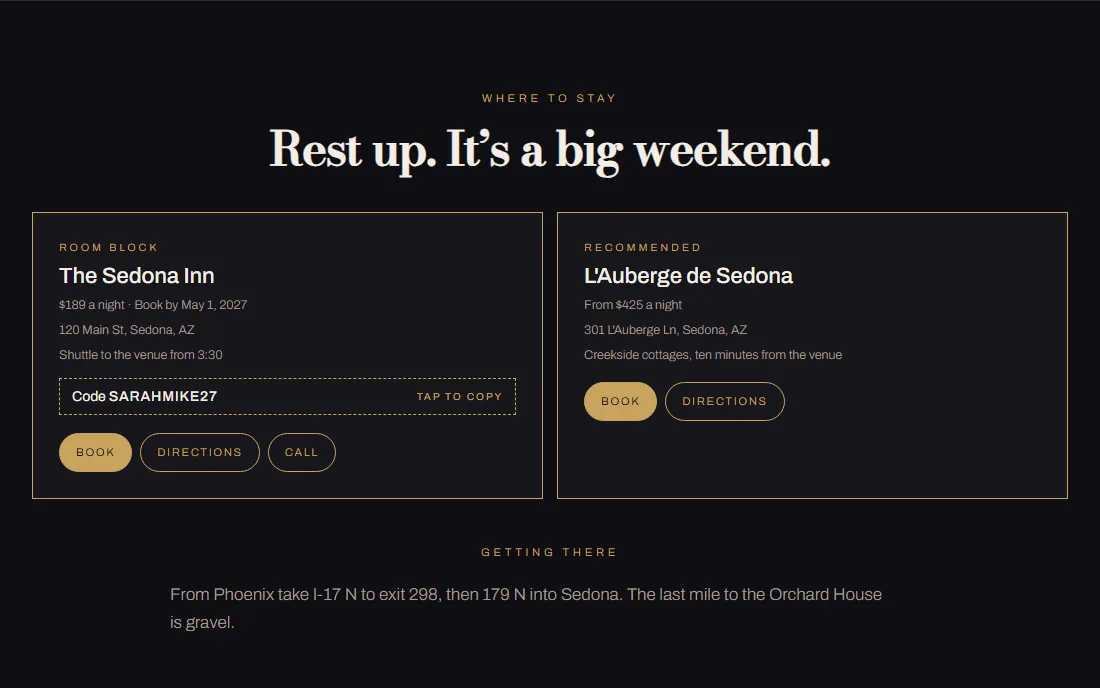
Hotel cards with a Book button, the room-block code with tap to copy, the book-by date and directions

Where to stay

The block code, one tap to copy.

Each hotel gets a card with Book, Directions and Call, plus the rate and the book-by date. Guests copy your room-block code with one tap. No hotel yet? The site suggests well-rated ones near the venue, and the nearest airports with the drive.
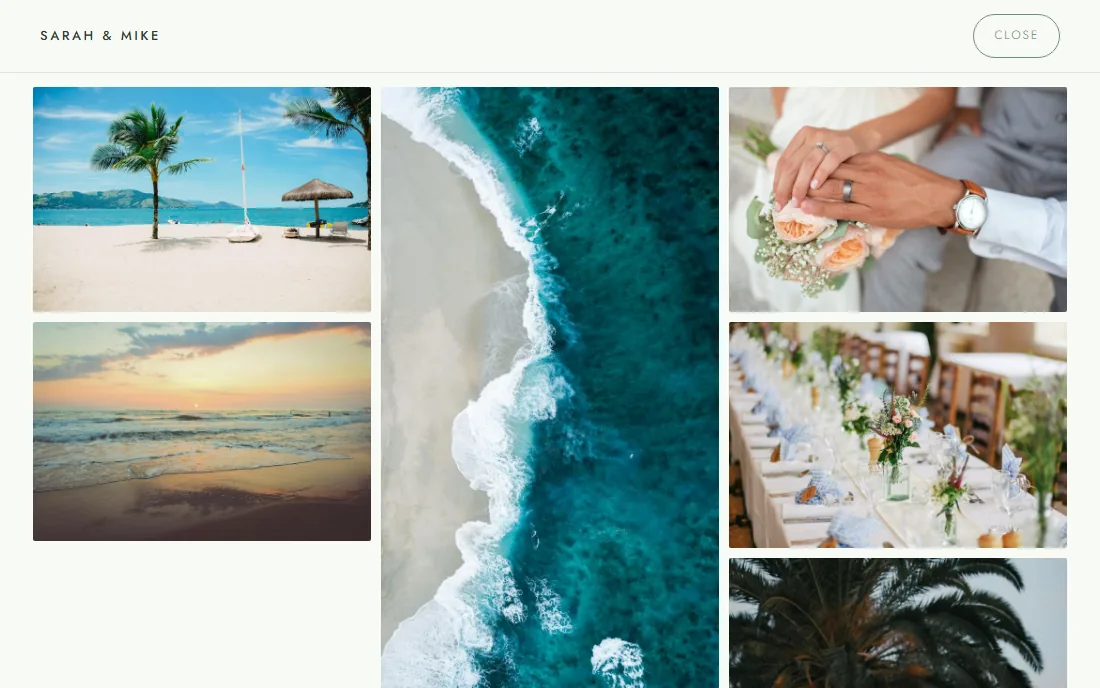
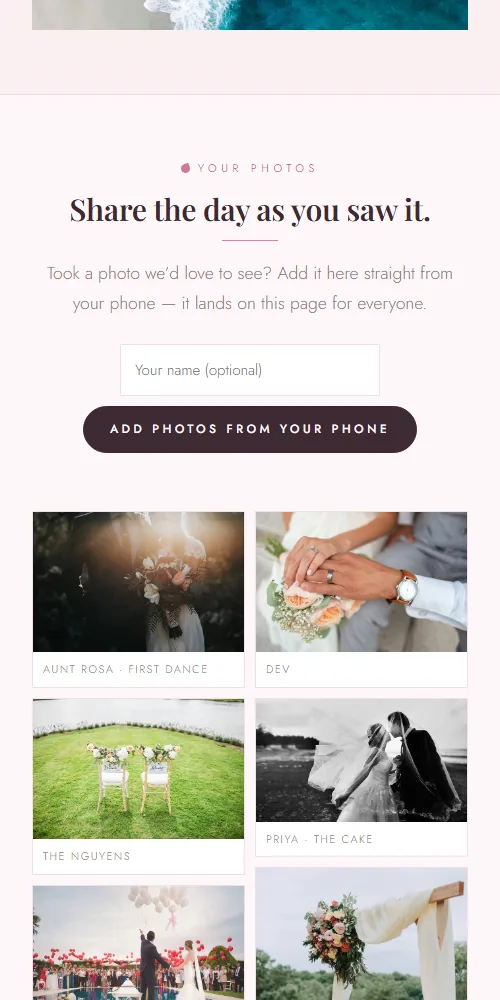
Every one of the couple's photos in a full-screen masonry wall

Every photo

Twenty-four photos, full screen.

Tap any photo for a full-screen viewer that swipes on phones. When you have more photos than your design has frames, “See all” opens every one in a wall.
Your story in datesThe night you met, the first trip, the question, each with a photo.
Your hashtagOn the header and the photo wall, copied in one tap.
Day tabsA weekend on three dates sits in three tabs, today’s open first.
Your words, your venueWrite every section headline yourself, or let June. Every line names your venue, never a template’s.

Built for the day itself

Every other wedding website is a brochure. Yours works the room.

The Knot and Zola give you a pretty page with your date on it. Lazo's site knows your timeline, your seating chart, your guest list and your vendors — because it's the same account — so on the day it does things a brochure can't.

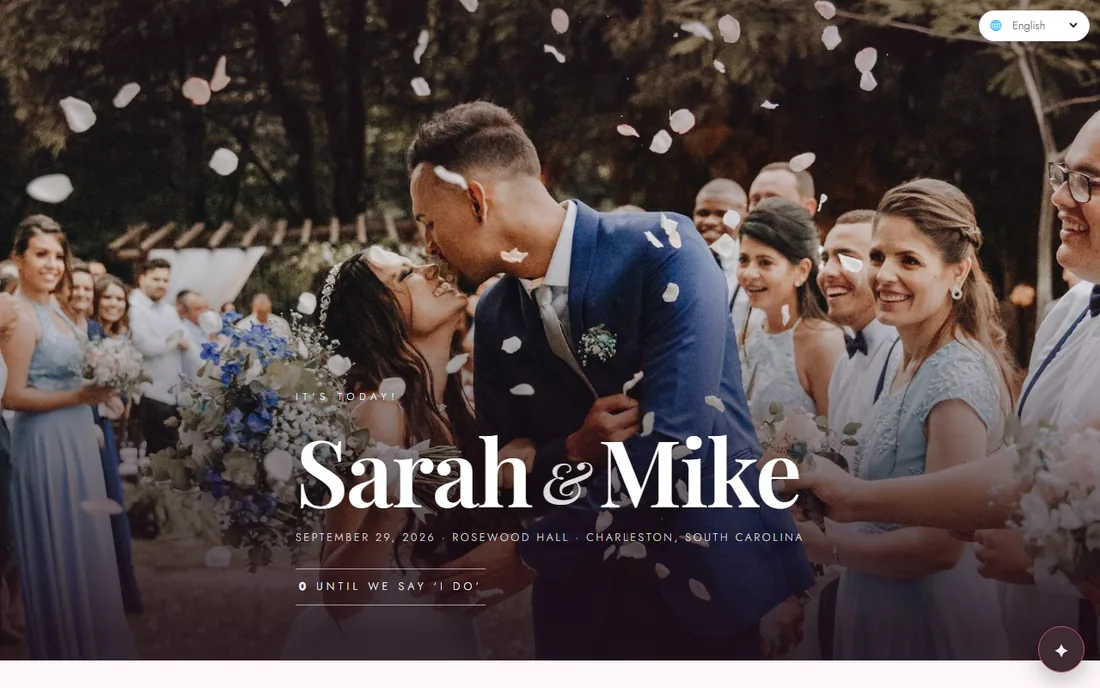
A wedding website header with the couple's own photo positioned exactly where they want itNew

Your photos, placed

Drag it, zoom it, see it on a phone before you publish.

Put your own photo in the header and beside your story. Drag until the two of you are where you want them, zoom in, check the phone frame — the site shows exactly what you saw. No cropping surprises.

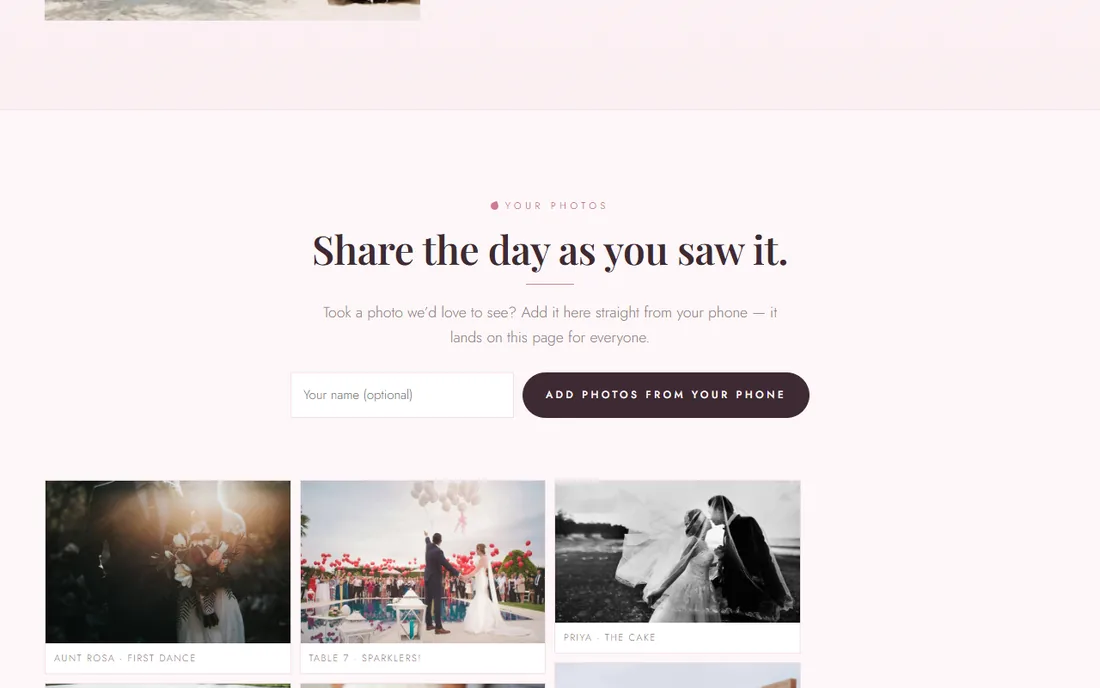
A photo wall on the wedding website filled with pictures guests added from their phones

Guests' photos, live

Every phone at the wedding is now your second photographer.

From the day itself, guests tap one button and their photos land on your site for everyone. Approve them first if you like, remove any you don't, download the whole wall as one zip.

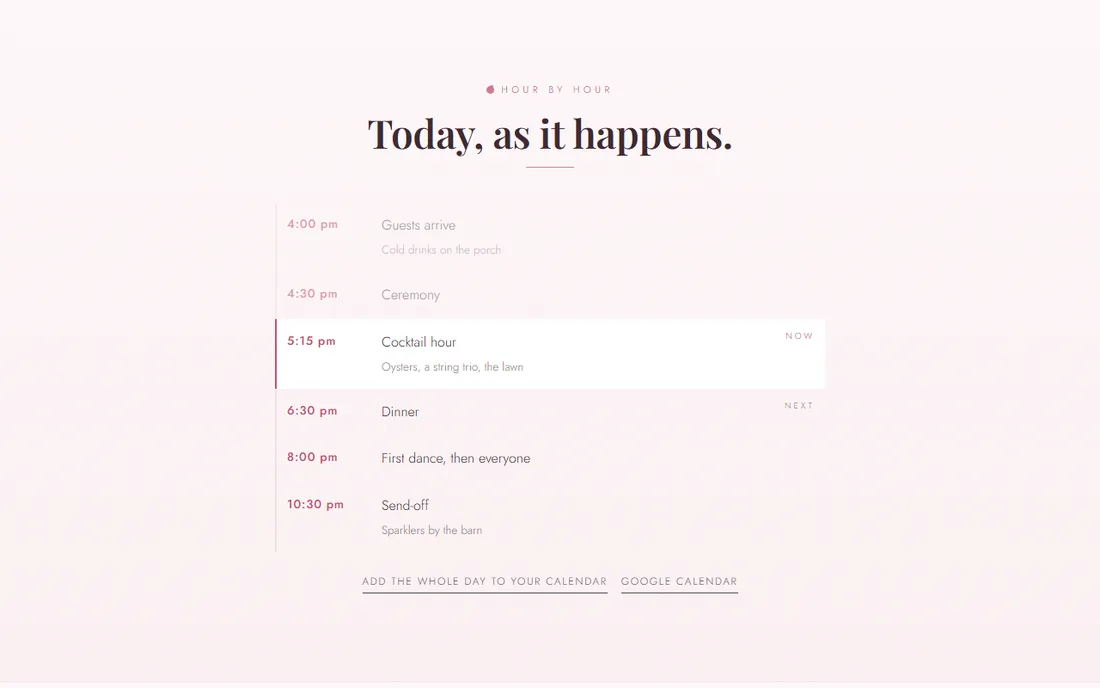
The day hour by hour with the current moment marked Now and the next one marked Next

Hour by hour

On the day, the site knows what's happening now.

Your planning timeline becomes the guests' schedule. On the wedding day it marks the moment you're in and the one that's next, so nobody has to ask when dinner is. One tap adds the whole day to their calendar.

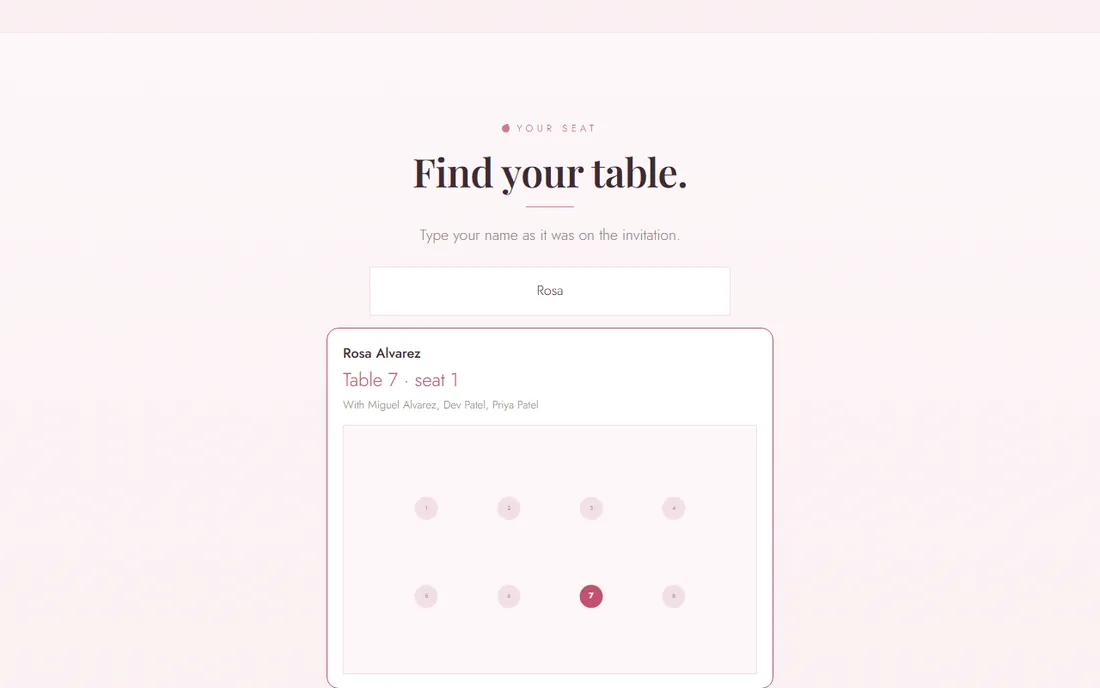
A guest types their name and the site shows their table, seat, tablemates and a map of the room

Find your table

No escort-card scramble.

Guests type their name and get their table, their seat, who they're sitting with, and a little map of the room with their table lit up. It reads straight from your seating chart.

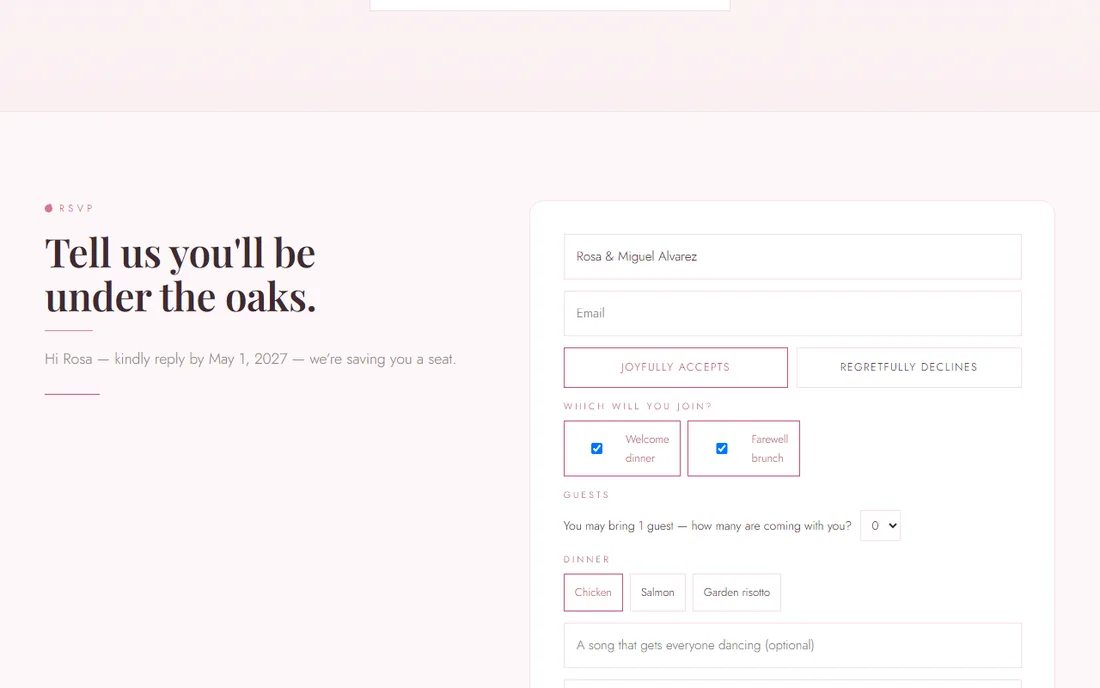
An RSVP form already filled in for the guest, with dinner choices, plus-one count and which events they'll join

Personal RSVP links

"Hi Rosa" — and the form is already filled in.

Every household gets its own link. The form opens with their names, how many they may bring, your dinner choices and the events they're invited to. The reply lands on the right guest, not in a pile to sort.

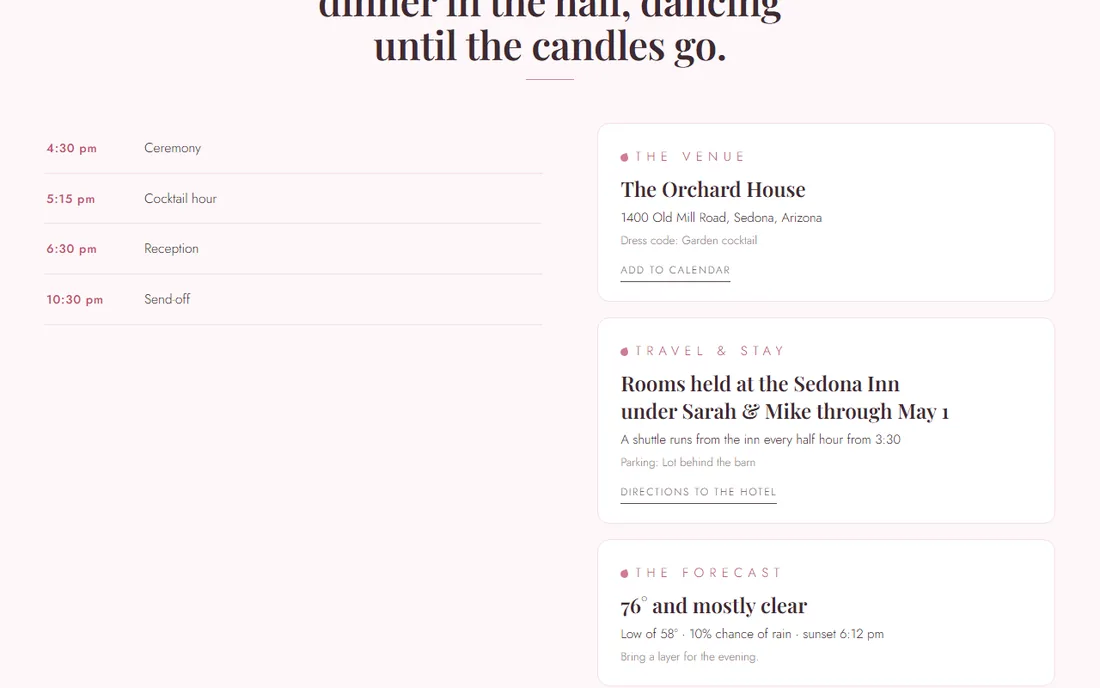
The venue card with the wedding-day forecast: high, low, chance of rain and sunset

The forecast

"Bring a layer for the evening."

Inside two weeks, the site shows the forecast for your venue — high, low, rain odds, sunset — and one plain line of advice. Directions to the venue and to the hotel are one tap.

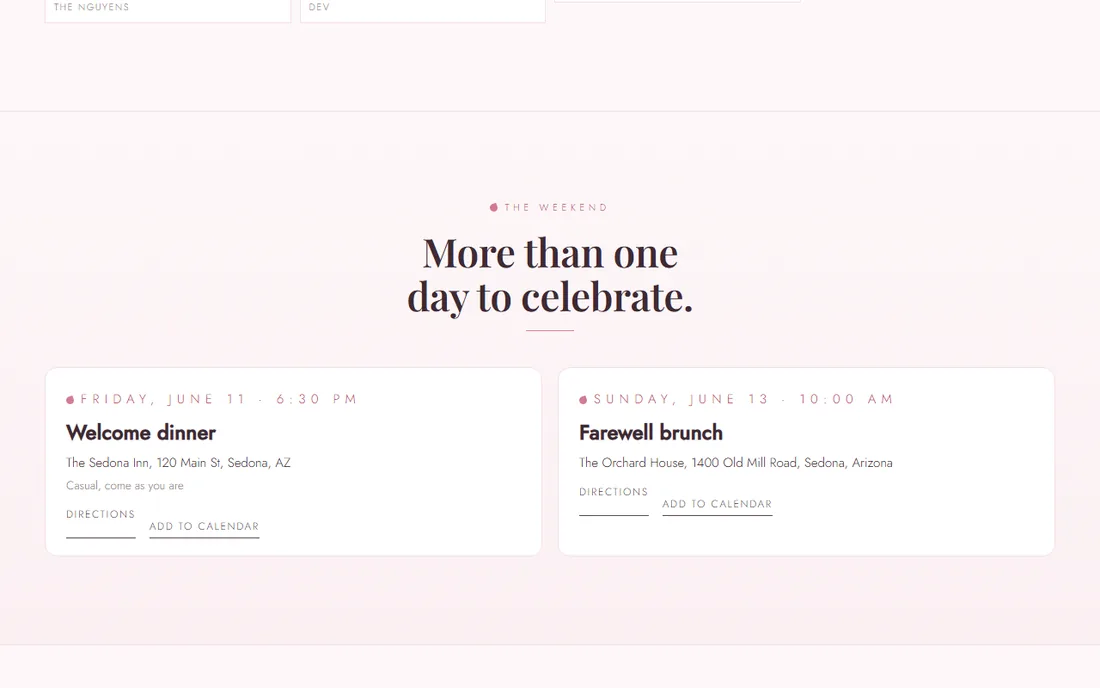
Welcome dinner and farewell brunch cards, each with directions and add-to-calendar

The weekend

Three days, one celebration.

Mehndi, sangeet, welcome dinner, farewell brunch — add each with its own place and time. Guests say which they'll join right on the RSVP, and it shows up on your guest list.

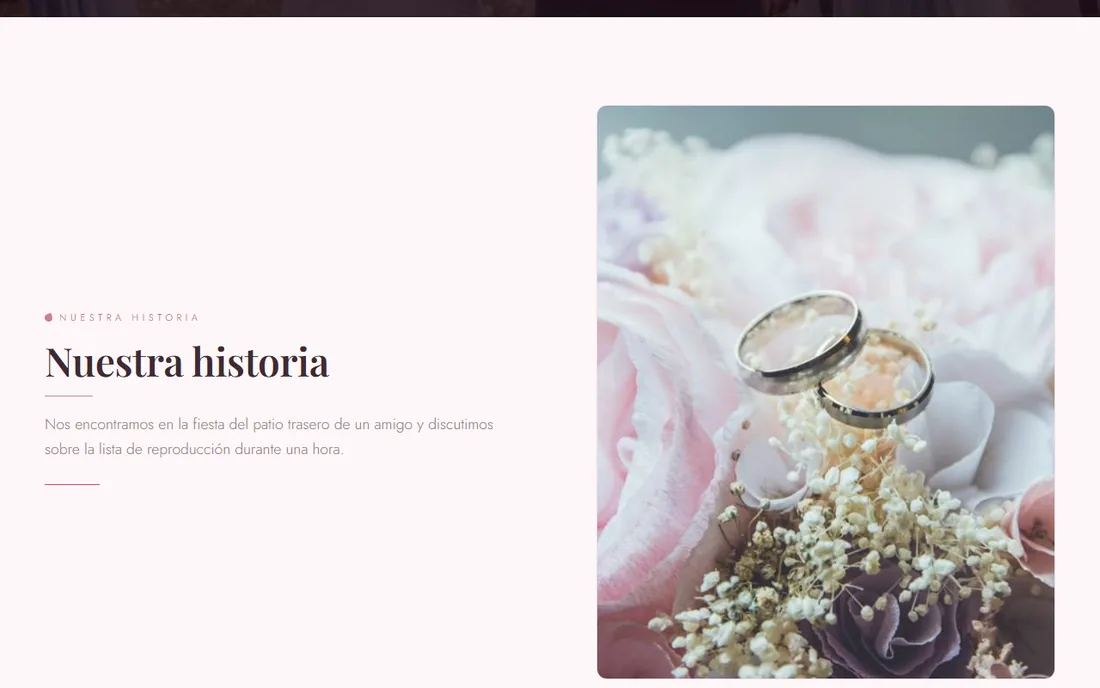
The couple's story shown in Spanish after a guest picked their language

In their language

Abuela reads it in Spanish.

A small language pill on your site translates every line into twenty languages on demand. Your parents' friends, the cousins abroad, the in-laws — everyone reads the same page in their own words.

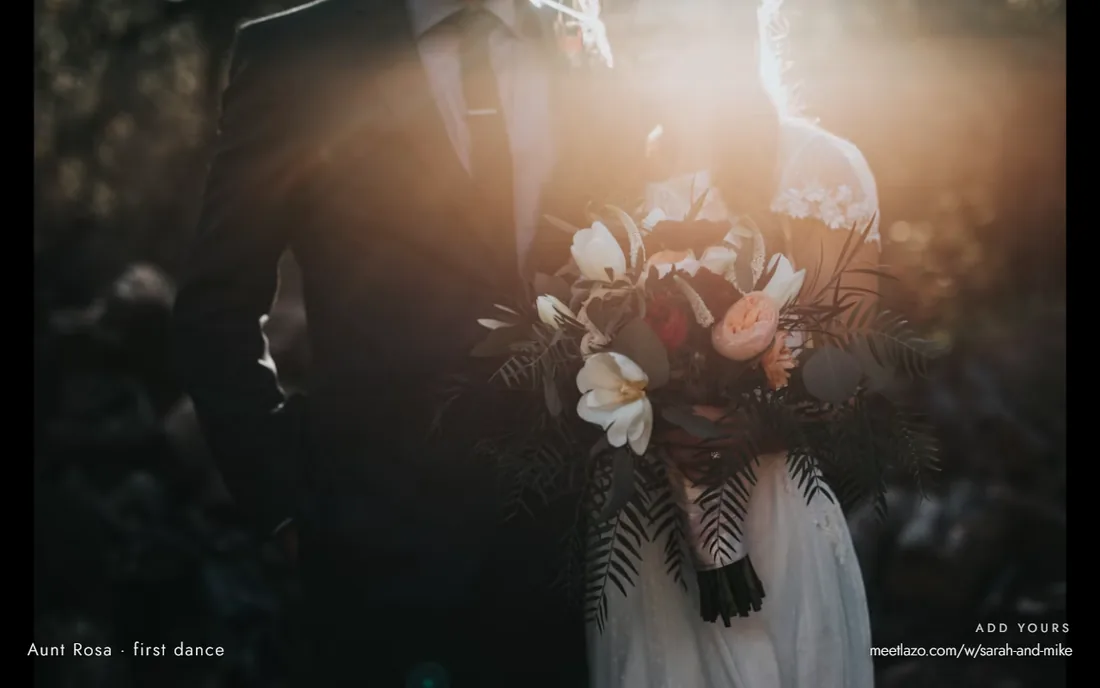
A full-screen slideshow of the guests' photos for a TV at the reception

On the TV

The reception watches itself.

Open your site with one extra word in the link and it becomes a full-screen slideshow of the photos guests are adding, refreshing itself all night. Put it on the bar TV.

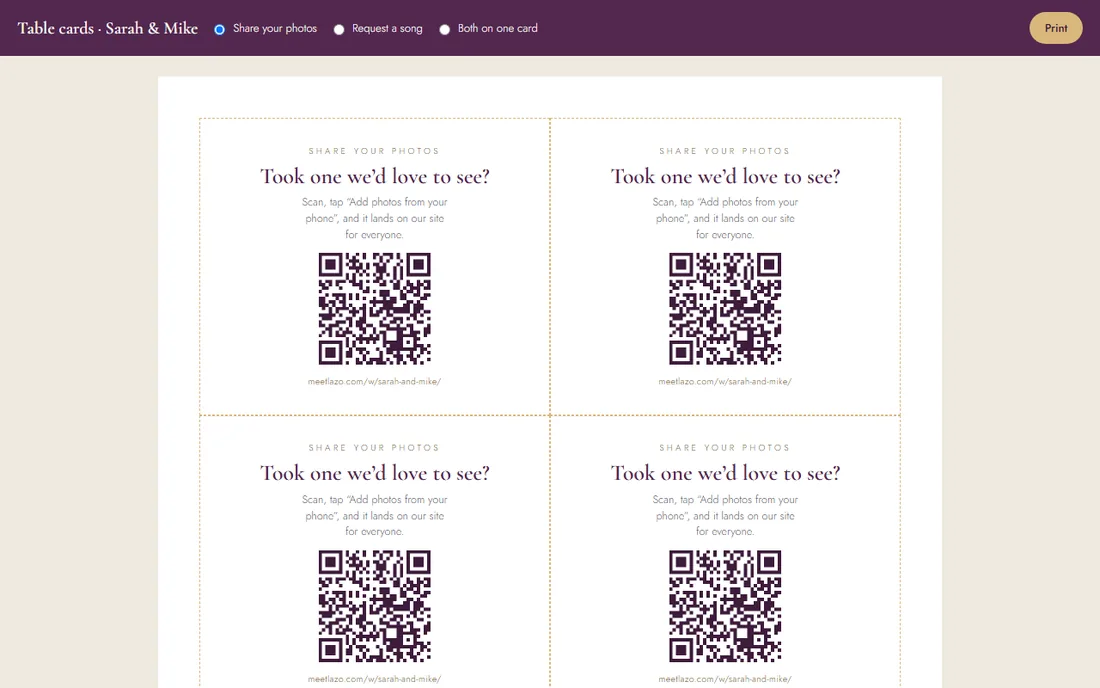
Printable table cards with a QR code that opens the photo wall

Table cards

Print six to a page, done.

QR cards for every table: share your photos, request a song, or both. Guests scan, the site opens, the photo lands. Nothing to install.

The photo wall on a phone

And the rest

The night before, the DJ, the credits.

Send everyone coming one email the day before — the schedule, the map, parking, the forecast, and each guest's table. Give the DJ a live page of every song request. Credit your vendors with links, so a guest planning their own wedding can book the photographer they're watching work.

The day-before noteOne email to everyone with an address: timeline, map, parking, forecast, their table.
The DJ's pageEvery request from the RSVP form and the request cards, refreshing itself all night.
Vendors you can bookYour credits link to each vendor's Lazo page with a Check-your-date button.
Ask JuneA concierge on every site: what to wear, where to stay, when to arrive.

What you get here that you don't get there

Both of those sites are lovely brochures. This is the part after "Save the date".

On the wedding websiteLazoThe KnotZola
Designs, RSVP, registry, travel, passcode✓✓✓
Guests add photos from their phones, with approval, TV slideshow and zip download✓——
Hour-by-hour schedule that marks Now and Next on the day✓——
Find your table, with tablemates and a room map✓——
Personal RSVP links that arrive pre-filled and matched to the guest✓by name lookupby name lookup
Wedding-day forecast for the venue, on the site✓——
One-tap translation into 20 languages✓——
Vendor credits you can book from✓——
The morning after: days married, chapters, a guestbook✓——
Same account as your vendors, contracts and payments✓——
Free, no ads, no upsell, no card✓free, with upsellsfree, with upsells

Based on the public feature lists of theknot.com and zola.com wedding websites as of September 2026. If we've missed something they do, tell us and we'll fix this table.

Make yours — free, live in minutes

Shown on Peony, our newest design. Pick any of the twenty-one above; every feature comes with it.

Beyond the big day

The first wedding website that doesn’t end at the wedding.

Every other wedding site dies the morning after — frozen countdown, stale details, forgotten link. Yours starts a second life.

💍

We’re married — and counting

The morning after your wedding, the site flips on its own: the countdown reverses into days married, a thank-you takes the RSVP’s place, and every anniversary gets its own banner. Automatically, forever.

📖

Chapters

Keep the story going — the honeymoon, the big announcement, year one in the new house. Add a chapter with photos anytime, and everyone you love knows exactly where to find your news.

✍️

A guestbook, forever

After the day, guests leave notes on your site — and it quietly becomes a keepsake: the toasts, the well-wishes, the people, all in one place you’ll reread for years.

See what a married site looks like →

How it works

Create a wedding website in minutes, for free

No design skills, no card, no catch. A wedding website builder that lives inside the planner you use for everything else.

1

Pick a design

Twenty-one designs, each with four color looks. Type your names above and every preview updates live.

2

Add your details

Date, venue, schedule, travel, registry, photos and your story. Fill in what you have; add the rest later.

3

Share one link

Send your meetlazo.com link. Guests RSVP on the site and every reply lands in your planner.

Everything included

One wedding website, with everything your guests will ask about — and the day-of tools nobody else has

Every design carries the same sections, so the only choice you make is how it looks.

Built with JuneFive questions, and June drafts your story, FAQ, travel and design.
The wedding partyNames, roles and photos, with a tab for each side.
Your hashtagOn the header and the guests’ photo wall, copied in one tap.
RSVPs that file themselvesMeals, plus-ones and song requests land in your planner as they arrive.
Schedule & venueCeremony, cocktails, reception and send-off, with one-tap directions.
Travel & staysHotel cards with Book and a one-tap block code, airports, driving notes and parking.
Registry linksLink any registry and guests shop without leaving your site.
Photos & your storyTwenty-four photos with a full-screen viewer, how you met, and your story in dates.
Passcode privacyLock the site to guests only, and keep it out of search engines.
Your songYour first-dance song plays softly when guests open the site.
Nearby picksEat, drink and do around the venue, your favourites first.
Guests’ photosAdded from their phones on the day, approved by you, shown on the TV, downloaded as one zip.
Hour by hourYour timeline for guests, marking what’s happening now on the day.
Find your tableName in, table, seat, tablemates and a room map out.
Personal RSVP linksPre-filled for each household, with dinner choices and the weekend’s events.
Forecast & languagesThe venue forecast inside two weeks; the whole site in twenty languages.
Married modeThe morning after, the site flips to days married, chapters and a guestbook.

Find your style

Wedding website templates for every kind of wedding

Floral or minimalist, black tie or barefoot on the beach, a barn in the fall or a cabin in the snow. Start with the design closest to your day.

Floral Garden & greenery Beach & coastal Destination Mountain Rustic & barn Vineyard Fall & autumn Black tie Classic & elegant Modern Minimalist Boho Desert Celestial Winter Small wedding & elopement Romantic Watercolor Geometric Vintage & art deco South Asian Latin With RSVP With registry Password protected

Questions

Wedding website FAQ

Are Lazo wedding websites really free?

Yes. Every couple on Lazo gets a wedding website free, with every design, RSVPs, schedule, registry links and the passcode option included. There is no paid tier for couples and no card required.

Can June write our wedding website for us?

Yes. Answer five questions in the website editor, or ask June in the Lazo app. June drafts your story and milestones, a hashtag, the dress code, the typical weather that week, driving notes and hotels near your venue, and suggests a design that suits your photos. She only writes what you tell her, fills only the fields you have left empty, and nothing goes live until you publish.

How long does it take to make a wedding website?

Minutes. Pick a design, type your names and date, add your venue and schedule, and share the link. Everything else, like travel notes, registry links, photos and your story, can be added whenever you have it.

What should we put on our wedding website?

The things guests would otherwise text you: the date, ceremony and reception times, the venue with directions, dress code, where to stay and how to get around, how to RSVP and by when, your registry, a few photos and your story. Every Lazo design has a section for each.

Do guests need an account to RSVP?

No. Guests open your link, tap RSVP, and reply with meals, plus-ones and notes. Each reply lands in your Lazo planner the moment it happens, so your headcount is always current.

Can we make our wedding website private?

Yes. Add a passcode and only guests with it can open the site. Passcode sites are also kept out of search engines automatically.

Can we change the design later?

Yes. Switch between any of the twenty-one designs and their color looks whenever you like. Your names, schedule, RSVPs and everything you have added carry over.

What happens to the site after the wedding?

It keeps going. The morning after, the countdown turns into days married, a thank-you takes the RSVP's place, and you can add chapters, photos and a guestbook for as long as you want.

Does the website connect to our registry and vendors?

Yes. Link any registry so guests can shop from your site, and because the website lives in your Lazo account, it sits alongside your vendors, contracts and payments.

Begin with the website.
The rest follows.

Pick a design, add your names, and share the link — then plan the whole day from the same account.

Create your free wedding website

No card required. Couples are free on Lazo, always.